

MWelcome
by mrmagic2020
A simple customizable plugin to welcome your fellow players to your server.
- 2 stars
- Updated
- Chat & social
README0.3.0
MWelcome
A simple customizable plugin to welcome your fellow players to your server.
Installation
Using Lip
lip install github.com/mrmagic2020/MWelcome
Manual Installation
-
Download the latest release from the releases page.
-
Unpack MWelcome-windows-x64.zip.
-
Move the MWelcome folder to the plugins folder under your BDS root directory.
Usage
Upon first run, MWelcome will generate a config.json file in plugins/MWelcome/config/, which will look like this:
{
  // The version of the config file. Do NOT modify.
  "version": 2,

    // Whether to send the welcome message to every online player when a player joins the server.
  "send_to_all_players": false,

  // The type of welcome message to send. Options: "chat", "tip", "toast".
  "type": "toast",

  // The title of the toast message. Only used if "type" is set to "toast".
  "toast_title": "§lWelcome to the §bServer§r§l!§r",

  // The content of the toast message. Only used if "type" is set to "toast".
  // Note that {} acts as a placeholder for the player's name.
  "toast_content": "Enjoy your stay, §o§6{}§r!",

  // The content of the chat message. Only used if "type" is set to "chat" or "tip".
  "msg_content": "§lWelcome to the §bServer§r, §o§6{}§r!"
}
Important
You will need to restart your server for the changes to take effect. Alternatively, admins can run "/mwelcome" in-game and use the GUI to edit the configuration options, which will take effect immediately.
| Type | Image |
|---|---|
| toast | 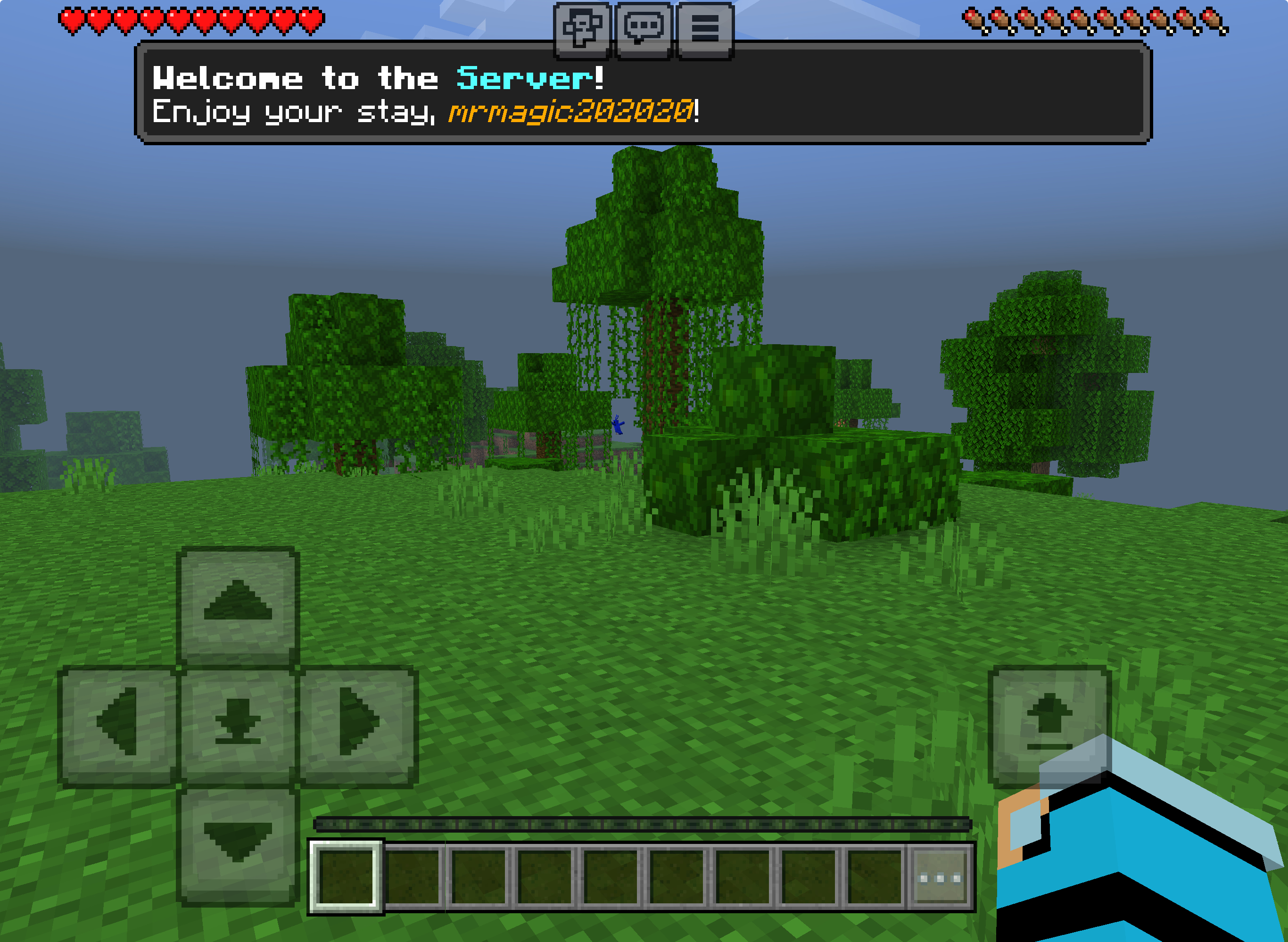 |
| chat | 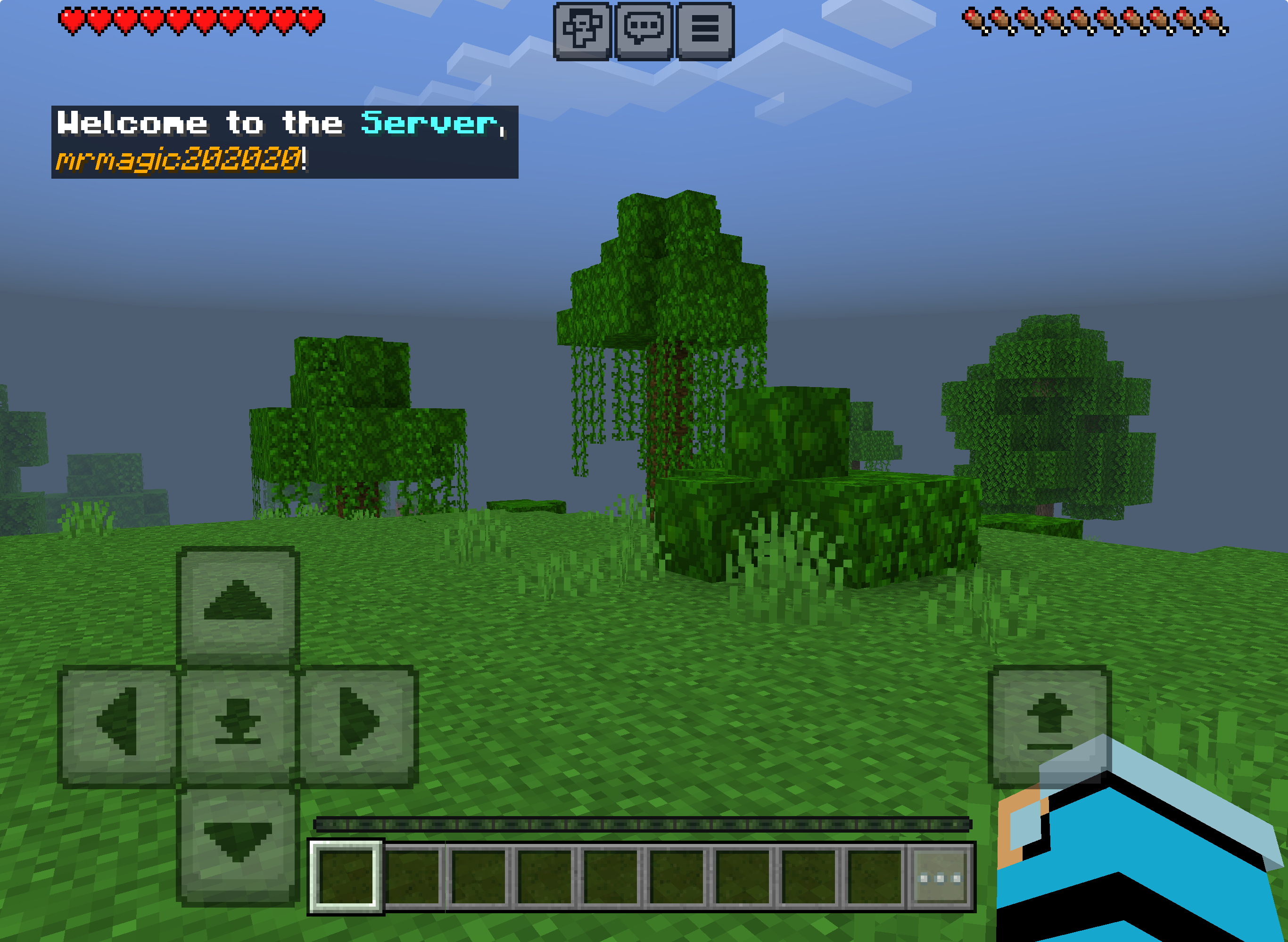 |
| tip | 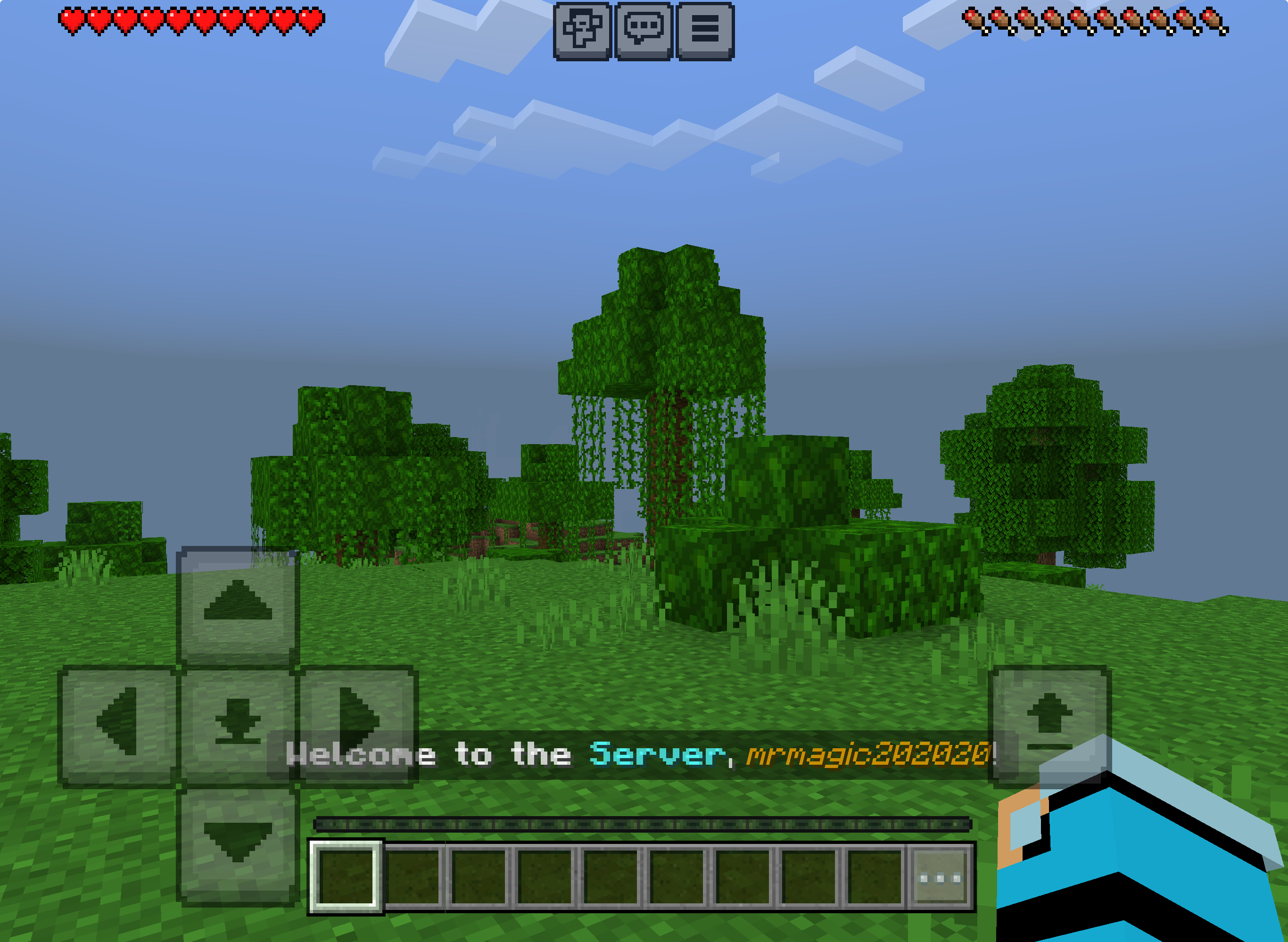 |
Contributing
Ask questions by creating an issue.
PRs accepted.
License
CC0-1.0 © mrmagic202020