
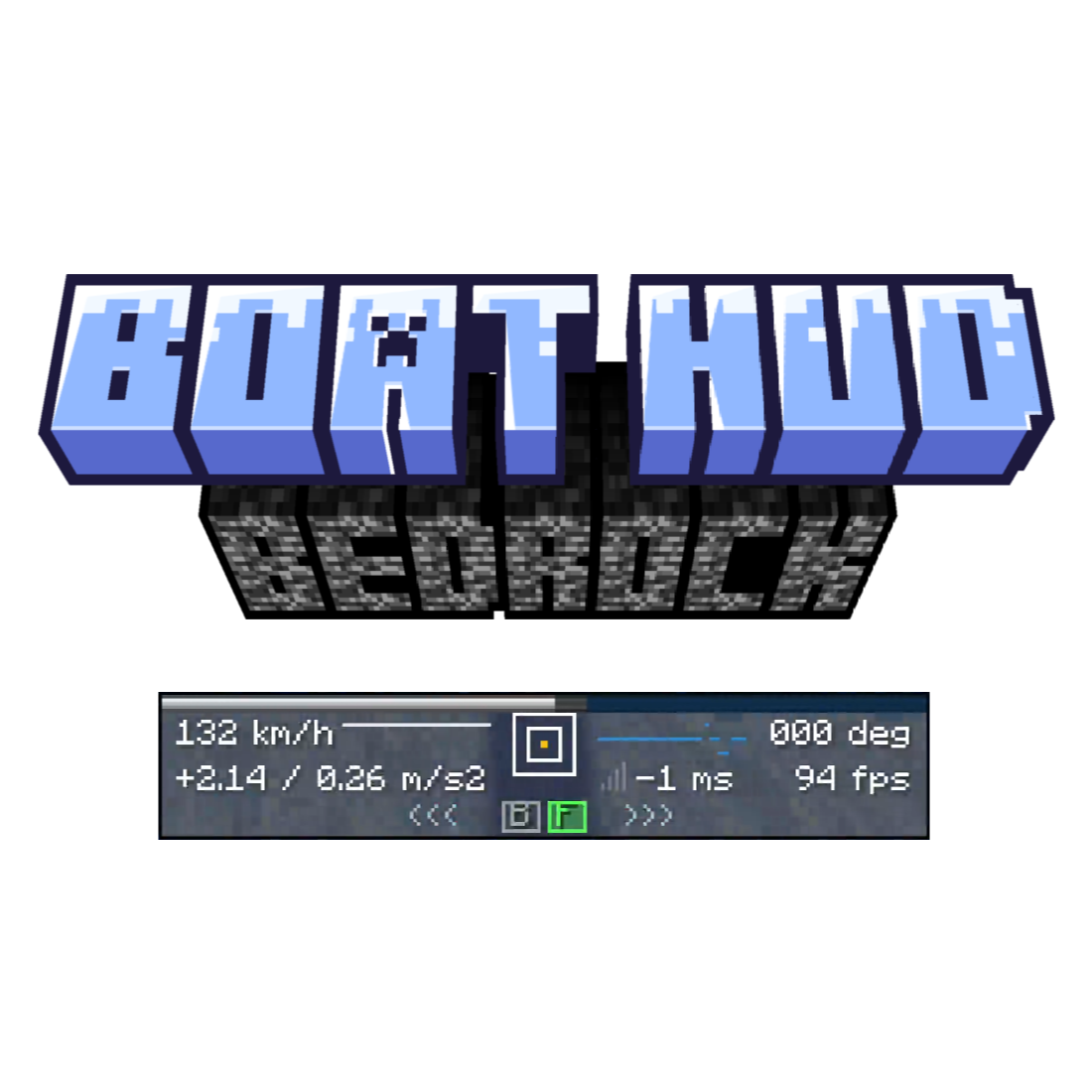
BoatHUD
by MRUIAW
A racing HUD and driving assistant for boats on LeviLamina clients.
- 1 star
- Updated
- Visual & HUD
README1.0.1
Bedrock BoatHUD


A client-side boat racing HUD for Minecraft Bedrock Edition, built with LeviLamina. Inspired by Hibiii/BoatHud and BoatHUD Extended.
⚠️Warning⚠️: Every line of code is generated by AI. If you have concerns about AI-generated code, please don't use it. This is a project experimenting with whether AI can vibe out simple mods + find + hook memory addresses on its own. There's a readme about the AI development process in the repo root. If you're not good at C++ but want to make some simple mods, feel free to give it a read.
Features
- Boat and chest-boat driver detection, with Race as the default layout and Classic / Compact alternatives.
- Speed, slip angle, longitudinal/lateral acceleration, server ping, and HUD render FPS.
- BoatHUD-style pixel speed bars, an acceleration indicator, steering/throttle traces, and optional left/right arrows and forward/reverse icons.
- An in-game settings screen with the native mouse cursor, immediate changes, and English / Simplified Chinese localization following the game language.
- Optional Hibiii-style camera assistance, smoothly blending the boat heading toward its travel direction as speed increases.
- Optional vanilla HUD hiding, CSV telemetry, and checkpoint time/speed comparisons.
Camera assistance, vanilla HUD hiding, telemetry, and checkpoints are off by default. Speed smoothing is on. The mod has no resource-pack requirement.
Installation
Version 1.0.1 targets Minecraft Bedrock 1.26.51.01, LeviLamina 26.51.x (tested with 26.51.5), and Windows x64 clients only. Other game/loader series and dedicated servers are not supported.
Through LeviLauncher (recommended)
Download LeviLauncher, open its Bedrinth browser, and search for “BoatHud”. Choose a version compatible with your game. A new release may take time to appear in the index; use lip or manual installation below if it is not listed yet.
Through lip
Close Minecraft before installing or updating. With lip, run this in the LeviLamina game instance directory:
lip install "github.com/MRUIAW/BedrockBoatHUD#client"
Manual installation
Alternatively, download BedrockBoatHUD-client-windows-x64.zip from Releases, then copy its BoatHUD directory into your instance's mods directory. Keep existing config and data directories when updating. Release titles follow v<mod-version>-mc<game-series> (currently v1.0.1-mc26.5x); this label does not broaden the compatibility listed above. Only one freshly built client archive is published.
The installation directory is mods/BoatHUD/. With Minecraft closed, move any earlier mods/BedrockBoatHUD installation outside mods before loading the new mod; old settings are not migrated automatically.
Start the game and take the driver's seat in a boat. BoatHUD appears while you are driving; passengers do not receive a driving HUD.
Controls
| Key | Action |
|---|---|
B | Toggle BoatHUD |
N | Cycle Race → Classic → Compact |
C | Toggle camera assistance |
O | Open settings |
In settings, hover a row and left-click for the next value or right-click for the previous value. Up/down arrows select rows; left/right arrows, Enter, and Space change values. O, Esc, or Done closes the screen. Changes are saved automatically. Vanilla HUD hiding is a menu option without a separate hotkey.
Movement indicators read the game's movement state, supporting remapped movement keys and controller input. The four mod hotkeys above are fixed.
Speed bars
The bar scale always uses m/s, regardless of the displayed speed unit.
| Profile | Range | Colour sections |
|---|---|---|
Water & Packed Ice (packed, default) | 0–40 m/s | Blue below 8 m/s, grey/white above it |
Mixed Ices (mixed) | 0–72 m/s | Grey/white below 40 m/s, blue above it |
Blue Ice (blue) | 40–72.7 m/s | Blue throughout |
The lit section follows speed and flashes above the profile's maximum. Speed bars stay inside the panel border. Race acceleration values use two decimal places below an absolute value of 10 and one decimal place at or above 10, independently for each displayed value.
Configuration and language files
Paths are relative to the game instance:
| Path | Purpose |
|---|---|
mods/BoatHUD/config/config.json | Settings; created on first load |
mods/BoatHUD/lang/en.json | English UI text |
mods/BoatHUD/lang/zh_CN.json | Simplified Chinese UI text (zh-Hans / Minecraft zh_CN) |
mods/BoatHUD/data/telemetry/ | Timestamped telemetry CSV files |
mods/BoatHUD/config/checkpoints.csv | Default checkpoint file |
Edit JSON with Minecraft closed, or use the settings menu. Available speed units are ms, kmh, mph, and knots; acceleration units are g and mss. Advanced camera settings are cameraAggressiveness (default 60 m/s), cameraSmoothing (0.45 retained per tick), and cameraMinimumSpeed (0.5 m/s). Configuration schema version 3 is independent of the mod's release version.
Telemetry and checkpoints
Enable Telemetry CSV in settings while driving to begin recording. Disabling it or ending the driving session flushes and closes the file. Exported values use explicit units and are independent of HUD units. The CSV includes a format-version comment before its header; it is not identical to the Java mod's 11-column export. Skip the first comment line when importing into a spreadsheet.
Checkpoint files use five columns:
reference_time_seconds,reference_speed_mps,normal_x,normal_z,plane_offset
0.000,0.000,0.000,1.000,100.000
5.000,40.000,0.000,1.000,200.000
A checkpoint plane is x * normal_x + z * normal_z = plane_offset; it triggers only when crossed from its negative side to its positive side. The first checkpoint establishes the lap start. Enable circularTrack in JSON to repeat the sequence. Checkpoints must be prepared manually; the feature is implemented but has not received the same real-track acceptance coverage as the HUD and camera.
See the telemetry guide (Chinese) and checkpoint example. HUD FPS measures this overlay's rendering, rather than an independent whole-game benchmark. Player-name display is reserved in configuration and is not rendered in 1.0.1.
Building and maintenance
Requires Windows x64, XMake, LLVM/Clang 22, and Visual Studio C++ Build Tools with a Windows SDK.
xmake f -a x64 -m release -p windows --target_type=client -y
xmake -y
pwsh -File scripts/Package-Release.ps1
The mod directory is generated in bin/BoatHUD/, and the validated ZIP in build/release/. CHANGELOG.md records releases. AGENTS.md is the maintenance handoff, covering coding rules, version upgrades, camera symbols, screen/mouse behaviour, and publishing. DEVELOPMENT_STATUS.md preserves development and acceptance history; earlier sections may describe superseded implementations.
Credits and license
Project code is released under CC0-1.0. BoatHUD designs and camera behaviour are credited to the two Java projects above. HUD graphics are drawn with Bedrock UI primitives; the original binary textures are not bundled. This project is not affiliated with Mojang, Microsoft, or the original mod authors.